
How to Avoid Roaming Charges When Traveling Abroad in 2026
That sinking feeling when you return from vacation and discover your phone bill has doubled. International roaming charges have caught millions of travelers off guard, turning budget-friendly trips into financial headaches. In 2026, with average roaming rates still reaching $15 per MB in some regions, a single video call could cost more than your dinner.
The stakes are higher than ever. As smartphones become our primary navigation, translation, and payment tools, staying connected abroad isn't optional—it's essential. Yet many travelers remain unaware of the simple strategies that can slash their international communication costs by 90% or more.
This guide reveals exactly how to avoid roaming charges when traveling abroad in 2026. From the revolutionary shift to eSIM technology to proven tactics for every type of traveler, you'll discover practical solutions that keep you connected without draining your wallet.
What Are Roaming Charges and Why Do They Still Exist in 2026?
Roaming charges are fees your home carrier charges when your phone connects to a foreign network outside your home country. These charges apply to calls, texts, and data usage, and exist because your carrier must pay the foreign network for access, passing those costs to you with markup.
When you travel internationally, your phone automatically searches for available networks to maintain connectivity. Once it latches onto a foreign carrier's tower, you're "roaming"—and the meter starts running. This happens regardless of whether you're actively using your phone; background apps, push notifications, and automatic updates can all trigger charges.
Despite the rise of eSIM (embedded SIM) technology and increased competition, roaming charges persist for several reasons. Carrier agreements remain complex and fragmented across regions. Many travelers still don't research alternatives before departure. And some carriers rely on roaming revenue as a significant profit center, with limited incentive to make it cheaper.
The European Union eliminated roaming fees for member states years ago, creating a blueprint other regions have been slow to follow. Meanwhile, travelers to Asia, the Americas, and Africa continue facing steep charges—sometimes paying $10-15 per megabyte for data in remote destinations.
How Much Do Roaming Charges Cost in 2026?
In 2026, international roaming charges range from $2 to $20 per MB for data, $0.50 to $5 per minute for calls, and $0.25 to $2 per text message, depending on your carrier and destination. A typical traveler using 500MB of data abroad could face $1,000+ in roaming fees without a plan.
Major U.S. carriers have made incremental improvements, offering day passes that reduce per-use rates. However, these passes typically cost $12-15 per day and only become economical for short trips. For a two-week vacation, you're looking at $168-210 in daily fees alone—far more than most alternatives.
Consider this real-world scenario: A traveler checks email, posts to social media, and uses Google Maps for navigation during a week in Japan. Without a roaming package, this modest usage (approximately 300MB) could generate $300-600 in data charges. Add a few calls home to coordinate with family, and the bill easily exceeds $700.
Streaming compounds the problem rapidly. A single hour of standard-definition video consumes roughly 1GB of data—potentially $10,000+ at raw roaming rates. Even carriers with "unlimited" international plans typically throttle speeds after 2-5GB, making them impractical for data-heavy travelers.
The good news? For most destinations, you can secure 10GB of data for under $50 through alternative solutions. That's a 95% savings compared to standard roaming rates, with better performance and no surprise bills.
Why eSIM Is the Best Solution for Avoiding Roaming Charges
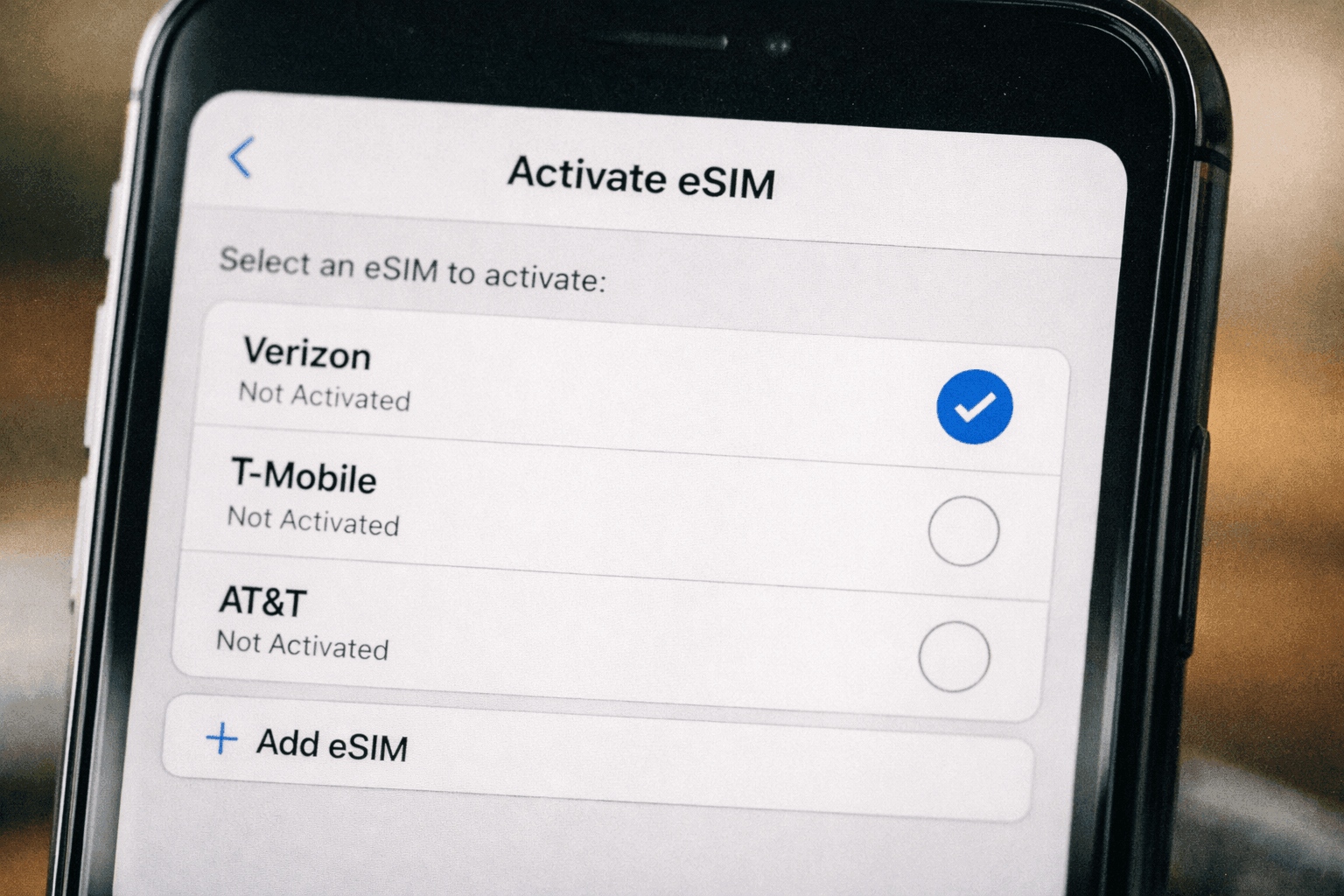
eSIM is an embedded digital SIM that allows you to activate a cellular plan from a carrier without using a physical SIM card. For travelers, eSIM plans offer local rates in 200+ countries, instant activation before departure, and the ability to keep your home number active for calls and texts while using local data.
The technology has matured significantly since its introduction. In 2026, most flagship smartphones and many mid-range devices support eSIM. This includes iPhone XS and later, Samsung Galaxy S20 and later, Google Pixel 3 and later, and numerous other models. You can verify your device's compatibility through our eSIM device compatibility guide.
The advantages for international travelers are substantial. First, convenience: you can purchase and install your eSIM plan hours before departure, landing with connectivity already active. No hunting for SIM card vendors at airports, no language barriers explaining your needs, no fumbling with tiny plastic cards and ejector tools.
Second, cost: eSIM plans from providers like Yoho Mobile typically cost 70-90% less than carrier roaming rates. A 5GB plan for Europe might run $25—less than two days of a carrier roaming pass.
Third, flexibility: you can store multiple eSIM profiles on your device and switch between them as you cross borders. Visiting Japan, then South Korea, then Thailand? Install three separate plans and activate each when you arrive. If you're new to eSIM, you can try Yoho Mobile's free eSIM to see how it works before your trip.
Fourth, dual-SIM capability: your physical SIM remains in place, keeping your home number reachable for important calls and texts while your eSIM handles data. This eliminates the trade-off between connectivity and accessibility that traditional SIM swapping requires.
Learn more about the broader advantages in our guide to the benefits of eSIM technology.
Comparing Your Options: Roaming vs. Local SIM vs. eSIM
For international travelers in 2026, three primary connectivity options exist: carrier roaming (most expensive, simplest), local physical SIM (cheapest, least convenient), and eSIM (best balance of cost and convenience). Your optimal choice depends on trip duration, destination, device compatibility, and flexibility needs.
| Factor | Carrier Roaming | Local Physical SIM | eSIM |
|---|---|---|---|
| Cost (2 weeks, 5GB) | $168-210 | $15-40 | $20-45 |
| Setup convenience | Automatic | In-person purchase | Digital, before departure |
| Home number access | Yes | No | Yes |
| Multi-country trips | Single rate | Swap per country | Multiple profiles |
| Data sharing/hotspot | Often restricted | Usually allowed | Usually allowed |
| Customer support | Home carrier | Local carrier | eSIM provider |
Carrier roaming makes sense only for very short trips (1-3 days) where convenience outweighs cost, or for travelers who absolutely must maintain their home number for business and cannot use call forwarding workarounds. For most leisure travelers, it's the worst financial option.
Local physical SIMs offer the lowest per-gigabyte rates, particularly in countries with competitive telecom markets like India, Thailand, and Indonesia. However, they require airport visits, passport registration (mandatory in many countries), and temporarily losing access to your home number. For multi-country itineraries, the inconvenience multiplies.
eSIM strikes the optimal balance for most travelers. The slight premium over local SIMs—often just $5-10 per trip—is justified by pre-departure setup, home number retention, and seamless multi-country support. Plus, if you need connectivity immediately upon landing for ride-sharing or navigation, eSIM eliminates the stress of finding a SIM vendor while jet-lagged.
Providers like Airalo, Holafly, and Yoho Mobile have refined their offerings significantly. Yoho Mobile differentiates through flexible plan durations (customizable days rather than fixed periods) and competitive pricing across 200+ destinations. You can explore why many travelers choose Yoho Mobile for their international connectivity needs.
How to Avoid Roaming Charges on iPhone
To avoid roaming charges on iPhone, disable data roaming in Settings > Cellular > Cellular Data Options, turn on Low Data Mode to reduce background usage, install an eSIM plan before departure, and enable Wi-Fi Calling to receive calls over Wi-Fi without roaming fees.
iPhones offer robust tools for managing international connectivity, but they require proper configuration. Here's a step-by-step approach to ensuring you never see an unexpected roaming charge:
- Disable data roaming before departure: Go to Settings > Cellular > Cellular Data Options and toggle "Data Roaming" off. This prevents any accidental background data usage the moment you land.
- Install your eSIM plan: Purchase your travel eSIM and follow the provider's installation instructions. On iPhone, this typically involves scanning a QR code or clicking an installation link, then configuring the plan under Settings > Cellular. For detailed guidance, see our article on troubleshooting eSIM activation if you encounter issues.
- Label your SIMs: In Settings > Cellular, tap on each plan and assign clear labels like "Home" and "Travel" to avoid confusion.
- Configure default lines: Set your eSIM as the default for data while keeping your physical SIM active for calls and texts. This gives you local data rates while maintaining access to your home number.
- Enable Wi-Fi Calling: This allows you to make and receive calls over Wi-Fi networks without roaming charges. Go to Settings > Phone > Wi-Fi Calling and toggle it on.
- Turn off automatic downloads: Go to Settings > App Store and disable automatic downloads and updates to prevent large data usage.
- Use airplane mode with Wi-Fi: When connected to reliable Wi-Fi, enable airplane mode then manually turn Wi-Fi back on. This guarantees no cellular roaming while maintaining internet access.
If you're unsure whether your iPhone model supports eSIM, most devices from iPhone XS onward include this capability. Our comprehensive compatibility list covers every supported model.
For travelers who need to share connectivity with laptops or travel companions, iPhones also support personal hotspot functionality. Learn how to set up hotspot on iPhone for maximum flexibility.
How to Avoid Roaming Charges on Android
To avoid roaming charges on Android, disable data roaming in Settings > Network & Internet > Mobile Network, restrict background data for apps, install an eSIM plan through your device's SIM manager, and use Wi-Fi Calling when available. Android's dual-SIM implementation offers flexible configuration options for travelers.
Android devices vary by manufacturer, but the core principles for avoiding roaming charges remain consistent. Google's Pixel line, Samsung Galaxy series, and many Xiaomi, OnePlus, and Motorola devices support eSIM and offer similar settings structures.
Follow these steps to secure your Android device against roaming charges:
- Turn off data roaming: Navigate to Settings > Network & Internet > Mobile Network (or Connections > Mobile Networks on Samsung) and disable "Data Roaming" or "Roaming."
- Install your eSIM: Go to Settings > Network & Internet > SIMs > Download a SIM instead. Scan your eSIM QR code or enter the activation code manually. Some carriers also support direct installation through their apps.
- Configure SIM preferences: Set your eSIM as the preferred SIM for mobile data while keeping your physical SIM active for calls. This is typically found under Settings > Network & Internet > SIMs > Preferred SIM.
- Restrict background data: In Settings > Network & Internet > Data Saver (or Data Usage on some devices), enable data restrictions and limit background activity for non-essential apps.
- Enable Wi-Fi Calling: Check Settings > Network & Internet > Calls (or Phone app settings) for Wi-Fi Calling options. Not all carriers support this on Android, but it's worth enabling if available.
- Disable auto-sync: Go to Settings > Accounts and disable automatic syncing, or limit it to Wi-Fi only.
- Use airplane mode strategically: When on reliable Wi-Fi, enable airplane mode and then manually re-enable Wi-Fi to prevent any cellular connection.
Android's openness provides additional advantages. Many Android devices support true dual-SIM functionality with two physical slots, or one physical plus one eSIM. This allows sophisticated configurations like keeping your home SIM for emergency calls while using a local or travel eSIM for everything else.
For a deeper comparison of eSIM technology against traditional options, read our eSIM vs. physical SIM analysis.
Destination-Specific Strategies to Avoid Roaming Fees
Different regions present unique roaming challenges and opportunities. In 2026, the best strategy for Europe involves regional eSIM plans covering multiple countries, while Asia favors single-country plans due to competitive local pricing. The Americas require attention to coverage gaps, and emerging destinations benefit from pre-installed eSIMs due to limited airport infrastructure.
Your destination significantly influences the optimal roaming avoidance strategy. Here's how to approach major travel regions:
Europe
The EU's roaming-free zone covers 30 countries, but travelers from outside Europe still face charges. For multi-country European trips, a regional eSIM plan is usually most cost-effective. A 10GB Europe plan typically costs $30-40 and works across the entire Schengen zone plus associated countries.
Popular destinations like France, Germany, Italy, and Spain have excellent eSIM coverage. For UK travel post-Brexit, separate plans are now necessary. Explore our United Kingdom eSIM, France eSIM, Italy eSIM, and Germany eSIM options for single-country visits.
Asia
Asia offers some of the world's most competitive mobile data markets. Japan, South Korea, and Singapore have premium infrastructure but higher costs. Thailand, Malaysia, and Indonesia offer exceptional value.
For Japan, an eSIM is almost essential due to strict SIM card registration requirements for tourists. Check out our best eSIM for Japan guide for detailed recommendations. Similarly, South Korea eSIM plans provide excellent connectivity in one of the world's most wired countries.
Southeast Asia travelers benefit from checking whether regional plans or country-specific options offer better value. Thailand's tourist SIMs at airports are cheap but require passport registration; an eSIM for Thailand offers comparable pricing with zero hassle.
Americas
North America presents unique challenges. The United States has high data costs and patchy rural coverage. Canada is similarly expensive. Mexico offers better value but variable coverage outside tourist areas.
For U.S. travel, verify your device supports the bands used by American carriers. Our guide on phone compatibility (principles apply globally) explains what to check. For dedicated U.S. connectivity, see our best eSIM for the USA recommendations.
Latin America is improving rapidly. Mexico eSIM and Brazil eSIM options now provide reliable coverage in major cities and tourist destinations.
Oceania
Australia and New Zealand have robust networks but geographic challenges. Remote areas may lack coverage regardless of your SIM type. For most travelers, an Australia eSIM or New Zealand eSIM provides the best balance of coverage and cost.
Middle East and Africa
These regions often have the highest standard roaming rates, making eSIM adoption particularly valuable. Turkey, Egypt, and South Africa have well-developed tourist eSIM markets. If you're planning to explore regions where finding a local SIM might be challenging, consider how you can get a free eSIM trial to test connectivity before committing.
Common Mistakes That Lead to Unexpected Roaming Charges
The most common roaming charge mistakes include forgetting to disable data roaming before landing, assuming "airplane mode" alone prevents all roaming, allowing apps to auto-update on cellular, failing to check whether your "unlimited" plan actually includes international data, and neglecting to inform your carrier of travel plans which can trigger security blocks or premium rates.
Even well-prepared travelers sometimes get caught by roaming charges. Avoid these pitfalls:
Mistake 1: The "Just Checking" Slip
You land, turn off airplane mode to check the time or a message, and within seconds your phone has connected to a foreign network and begun syncing email, weather, and notifications. That momentary check can cost $20-50 at premium roaming rates.
Solution: Keep data roaming disabled until you've confirmed your eSIM is active or you're connected to Wi-Fi.
Mistake 2: Background App Refresh
iPhones and Android devices constantly refresh apps in the background—checking for messages, updating location, syncing photos. This silent data consumption adds up rapidly.
Solution: Disable background app refresh (iPhone: Settings > General > Background App Refresh; Android: Settings > Network & Internet > Data Saver) before departure.
Mistake 3: The Hotspot Surprise
You connect your laptop to your phone's hotspot, forgetting that your phone is roaming. An hour of laptop usage can consume 1-2GB—potentially thousands in roaming fees.
Solution: Only enable hotspot when connected to your eSIM data plan, not your home carrier's roaming.
Mistake 4: Visual Voicemail Downloads
Visual voicemail downloads automatically when connected to cellular, consuming significant data per message. At roaming rates, checking three voicemails could cost $100+.
Solution: Disable visual voicemail before traveling or call your number manually to check messages.
Mistake 5: Assuming Home Carrier "Travel Passes" Cover Everything
Many carrier travel plans have fine print: throttling after 2GB, excluded countries, or premium rates for calls to non-U.S. numbers. Read the details before relying on these passes.
For more data management tips, see our guide on how much data Google Maps uses and strategies for managing data-hungry apps while traveling.
Frequently Asked Questions
Can I completely avoid roaming charges while keeping my home number active?
Yes. By installing an eSIM for data and keeping your physical SIM active for calls and texts (with data roaming disabled), you maintain your home number for incoming calls while using local-rate data. Enable Wi-Fi Calling to make outgoing calls over Wi-Fi networks without roaming charges.
What happens if I run out of data on my eSIM plan?
Most eSIM providers allow you to top up data through their app or website. Alternatively, you can purchase an additional plan. Your phone will simply stop using that eSIM for data when depleted—it won't automatically switch to expensive roaming.
Do I need to remove my physical SIM to use an eSIM?
No. One of the main advantages of eSIM is that it works alongside your physical SIM. This dual-SIM functionality lets you keep your home number while using local data. Learn more in our comparison of eSIM vs. physical SIM options.
Will my phone automatically use roaming if I don't have an eSIM?
Only if data roaming is enabled in your settings. With data roaming disabled, your phone will not connect to foreign cellular networks for data. However, emergency calls will still connect to available networks as required by law.
Are eSIM plans reliable compared to traditional roaming?
Yes. eSIM plans use the same physical networks as local carriers and roaming agreements. In fact, eSIMs often provide better performance because they connect as local subscribers rather than roaming visitors, sometimes receiving priority on congested networks.
Can I use one eSIM plan for multiple countries?
Regional eSIM plans cover multiple countries (e.g., all of Europe or Southeast Asia). However, single-country plans are often cheaper and should be switched as you travel. Most modern phones store multiple eSIM profiles, allowing you to install plans for your entire itinerary before departure.
How do I know if my destination has good eSIM coverage?
Major eSIM providers publish coverage maps showing partner networks. For most tourist destinations, eSIM coverage matches or exceeds what you'd get with a local SIM. Remote rural areas may have limited coverage regardless of SIM type.
What if my phone doesn't support eSIM?
If your device lacks eSIM capability, local physical SIM cards are your best alternative. Purchase them at airports or official carrier stores. Ensure your phone is unlocked before traveling—contact your carrier to request an unlock if necessary.