
There’s nothing more stressful than landing in a new country, ready for an adventure, only to be greeted by the dreaded “No Service” message on your phone. Your international roaming was supposed to work, but it has failed you. Suddenly, you can’t access maps, call a ride, or let your family know you’ve arrived safely. Don’t panic. There’s an immediate, affordable, and reliable solution.
Instead of wasting time and money trying to fix your home carrier’s unreliable service, you can get a stable data connection in under two minutes with a Yoho Mobile eSIM. Get your travel eSIM now and connect instantly.
Picture by appshunter.io on Unsplash
Why Does International Roaming Suddenly Stop Working?
Before we jump to the solution, it’s helpful to understand why your roaming might have failed. Several factors can cause a ‘no roaming service’ issue:
- Carrier Agreements: Your home provider may not have a strong roaming agreement with local networks in your destination.
- Incorrect Settings: Your phone’s data roaming setting might be turned off, or the APN settings might be incorrect.
- Plan Limitations: Your mobile plan might not include international roaming, or you may have exceeded a hidden data cap.
- Network Congestion: Just like at home, local networks can be congested, especially in tourist-heavy areas. Sometimes, roaming partners are given lower priority on the network.
While you can try to troubleshoot these issues, it often involves a frustrating and expensive call to your home carrier’s support line. There’s a much faster way.
Your Instant Fix: Switch to a Yoho Mobile eSIM
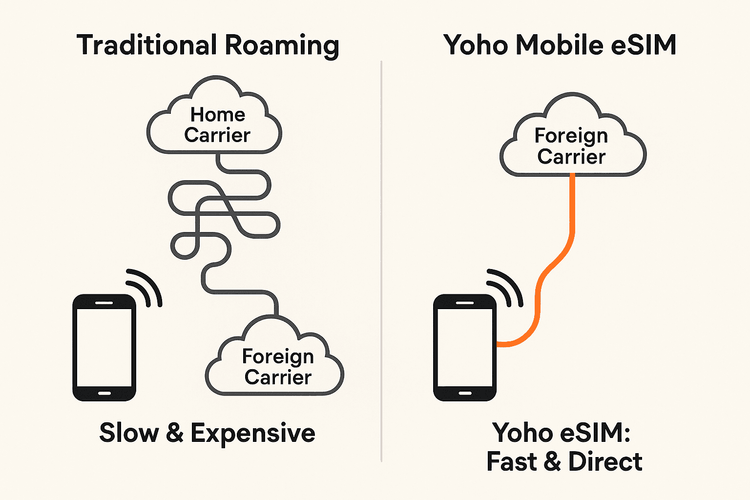
When your primary roaming fails, a travel eSIM isn’t just a backup plan—it’s your express lane to the internet. An eSIM (embedded SIM) is a digital SIM card that lets you activate a cellular plan from a provider like Yoho Mobile without needing a physical SIM card. It bypasses your home carrier entirely and connects you directly to local networks, often with better speeds and much lower costs.
Step-by-Step: Get Connected in Under 2 Minutes
Here’s how to get internet abroad when roaming fails using Yoho Mobile:
- Check Compatibility: Ensure your device is on our eSIM compatible devices list. Most modern smartphones are.
- Choose Your Plan: Visit the Yoho Mobile website, select your destination (e.g., eSIM plans for Europe), and choose the data package that suits your trip.
- Install Instantly: After purchase, you’ll receive activation instructions.
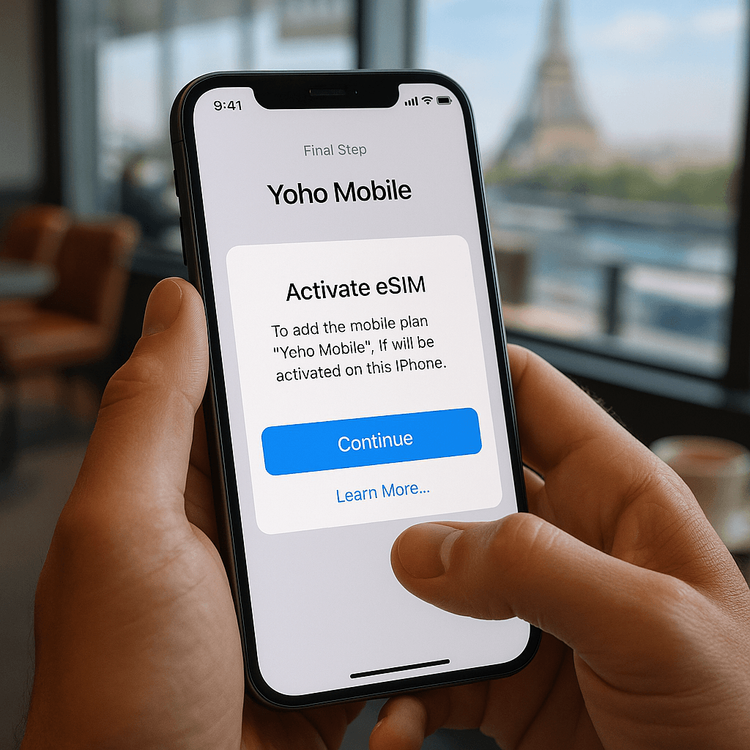
- For iOS users: The process is incredibly simple. Just tap the “Install” button after checkout, and your iPhone will guide you through the setup in less than a minute. No QR codes to scan or codes to enter!
- For Android users: You can install your eSIM by scanning the provided QR code or by entering the details manually.
That’s it! You’re back online with a stable, high-speed data connection, ready to continue your travels stress-free.
Why Yoho Mobile is Your Best Roaming Alternative
Choosing Yoho Mobile isn’t just a quick fix; it’s a smarter way to travel. We built our service to solve the exact problems that traditional roaming creates.
- Never Lose Connection with Yoho Care: Worried about running out of data at a critical moment? With Yoho Care, you’re always covered. Even if your plan’s high-speed data is used up, we provide a backup network to ensure you can always access essential services like maps and messaging.
- Flexible Plans That Fit Your Trip: Why pay for a month-long roaming package for a weekend trip? Yoho Mobile offers completely flexible plans. You can customize the amount of data, the number of days, and the specific countries you need, so you only pay for what you’ll actually use.
- Try Before You Commit: If you’re new to eSIMs, we’ve got you covered. Get a free eSIM trial to test our service and see how easy it is to stay connected without risking a dime.
Frequently Asked Questions (FAQ)
What should I do first if my phone has no service in another country?
First, check that Data Roaming is enabled in your phone’s cellular settings. Restart your device and try manually selecting a local network. If that doesn’t work, the fastest solution is to purchase and install a travel eSIM from Yoho Mobile to get an immediate data connection.
Can I get a Yoho Mobile eSIM if my current roaming plan isn’t working?
Absolutely. A Yoho Mobile eSIM works independently of your primary SIM card. You can purchase and install it on the spot using any Wi-Fi connection (like at an airport or cafe) and be online within minutes, completely bypassing your non-working roaming plan.
How quickly can I get internet abroad if my roaming fails?
With Yoho Mobile, you can restore your internet connection in less than two minutes. The entire process—from choosing a plan on our website to activating the eSIM on your phone—is designed to be fast and user-friendly, especially the one-tap installation for iOS users.
Will a Yoho Mobile eSIM affect my primary phone number?
No, a data-only eSIM from Yoho Mobile will not affect your primary phone number. Thanks to Dual SIM technology on modern phones, you can use your Yoho Mobile eSIM for affordable data while keeping your primary SIM active for calls and texts if you wish. Learn more about how it works here.
Conclusion: Don’t Let Roaming Issues Ruin Your Trip
Facing a “no roaming service” error abroad is a major headache, but it doesn’t have to derail your plans. Traditional international roaming is often unreliable and expensive. The modern, efficient, and cost-effective solution is a travel eSIM.
Next time you’re faced with a connection crisis, remember that a reliable data plan is just two minutes away. Be prepared and travel with confidence.
Explore Yoho Mobile’s global eSIM plans today and make connectivity issues a thing of the past.