
Best eSIM for South Korea 2026: Complete Guide & Comparison
Planning a trip to South Korea and worried about staying connected? You’re not alone. Every day, thousands of travelers land at Incheon Airport facing the same dilemma: how to get reliable mobile data without the hassle of physical SIM cards or expensive roaming charges.
The stakes are higher than you might think. Without mobile data, you can’t navigate Seoul’s sprawling subway system with Naver Map, translate Korean menus in real-time, or stay in touch with your travel companions. Even worse, traditional options like international roaming can cost $10-15 per day, while renting pocket WiFi requires inconvenient airport pickup and return procedures.
That’s where eSIM (embedded SIM) technology comes in. This complete guide will walk you through everything you need to know about choosing the best eSIM for South Korea, from network quality comparisons to provider recommendations, ensuring you stay connected from the moment you land.
Why Choose an eSIM for Your South Korea Trip?
An eSIM is the most convenient and cost-effective way to stay connected in South Korea. It eliminates airport queues, offers instant activation, costs 60-80% less than roaming, and provides the same high-speed 5G access as local users. Unlike physical SIMs, you keep your home number active for calls and texts.
South Korea is one of the most digitally connected countries in the world, boasting the fastest average internet speeds globally. However, this advanced infrastructure also means that staying offline isn’t really an option. From booking restaurant reservations on CatchTable to navigating Seoul’s complex subway transfers, mobile data has become essential for modern travel in Korea.
Traditional options for travelers have significant drawbacks. International roaming from major carriers like AT&T, Verizon, or Vodafone typically costs $10-15 per day—adding up to $70-105 for a week-long trip. Pocket WiFi rentals, while popular, require advance booking, airport pickup during limited hours, daily device charging, and inconvenient return procedures. Physical SIM cards at Incheon Airport often involve long queues, language barriers, and the hassle of swapping out your home SIM.
eSIM technology solves all these problems. You can purchase and install your South Korea eSIM before leaving home, activate it the moment you land, and enjoy immediate connectivity without any physical SIM swap. Plus, if you’re new to eSIM technology, you can try Yoho Mobile’s free eSIM to experience how it works before your trip.
Understanding South Korea’s Mobile Networks
South Korea operates three major mobile networks: SK Telecom (largest, 99% coverage), KT (strong Seoul performance, competitive pricing), and LG U+ (excellent 5G speeds, good value). All three offer world-class 5G infrastructure that ranks among the fastest globally, with average download speeds exceeding 400 Mbps.
South Korea’s mobile infrastructure is genuinely world-leading. According to Speedtest Global Index, South Korea consistently ranks in the top 3 for mobile internet speeds globally, with average 5G speeds reaching 500-800 Mbps in urban areas. This means whether you’re video calling from a cafe in Gangnam or streaming 4K content on the KTX train, you’ll experience blazing-fast connectivity.
Carrier Population Coverage 5G Coverage Average Speed Best For SK Telecom 99% 90% of cities 500+ Mbps Reliability seekers, rural travel KT 98% 85% of cities 450+ Mbps Urban explorers, budget-conscious LG U+ 97% 88% of cities 480+ Mbps Speed enthusiasts, 5G priority
When choosing an eSIM provider, it’s important to know which Korean network they partner with. Most premium eSIM providers partner with SK Telecom or KT for the best coverage. Rural areas like Jeju Island’s coastal regions or mountain hiking trails in Seoraksan National Park will have better coverage with SK Telecom, while all three networks provide excellent service in Seoul, Busan, and other major cities.
Top eSIM Providers for South Korea Compared
The best eSIM providers for South Korea are Yoho Mobile (best value, flexible plans), Airalo (largest provider, app-based management), Holafly (unlimited data options), and Sim Local (competitive short-term plans). Each offers different data allowances, validity periods, and pricing structures to match various travel needs.
Not all eSIM providers are created equal, especially for South Korea. While dozens of companies now sell eSIM plans, only a handful offer the combination of reliable Korean network partnerships, transparent pricing, and responsive customer support that travelers need. Here’s how the top contenders stack up:
Provider Data Options Validity Network Hotspot Price Range Yoho Mobile 1GB to Unlimited 7 to 30 days SK Telecom Yes $4.50 - $35 Airalo 1GB to 20GB 7 to 30 days SK Telecom Yes $5 - $32 Holafly Unlimited only 5 to 90 days KT Limited $19 - $99 Sim Local 3GB to 20GB 7 to 30 days SK Telecom Yes $8 - $35 Maya Mobile 3GB to 20GB 7 to 30 days KT Yes $7 - $30
The key differentiator isn’t just price—it’s flexibility. Some travelers need unlimited data for work, while others just want a safety net for navigation and messaging. Yoho Mobile stands out by offering the most flexible plan structure, allowing you to choose exactly the data amount and duration you need without paying for extras you won’t use.
Yoho Mobile South Korea eSIM Plans
Yoho Mobile offers South Korea eSIM plans ranging from 1GB for 7 days ($4.50) to unlimited data for 30 days ($35), all powered by SK Telecom’s premium network. Plans include hotspot sharing, 24/7 customer support, and instant activation via QR code or manual entry.
Yoho Mobile partners directly with SK Telecom to provide travelers with Korea’s most reliable network coverage. Whether you’re navigating the neon-lit streets of Hongdae, hiking the trails of Bukhansan, or island-hopping in Jeju, you’ll have consistent high-speed connectivity.
Plan highlights include:
-
Starter Plan: 3GB for 7 days at $8.50—perfect for short city breaks focused on navigation and social media
-
Standard Plan: 10GB for 14 days at $16.00—ideal for two-week trips with moderate data usage
-
Extended Plan: 20GB for 30 days at $24.00—great for longer stays or digital nomads
-
Unlimited Plan: Unlimited data for 30 days at $35.00—best for heavy users, remote workers, and content creators
All Yoho Mobile South Korea eSIM plans support personal hotspot, allowing you to share your connection with travel companions or secondary devices. This is particularly valuable if you’re traveling with a laptop for work or want to help friends stay connected without them purchasing their own plan.
Competitor Comparison: Airalo, Holafly, and Sim Local
Airalo offers competitive pricing but limited customer support; Holafly provides unlimited data but throttles speeds after 2GB daily; Sim Local has good short-term options but less plan variety. Yoho Mobile balances price, flexibility, and support better than competitors for most Korea travelers.
Airalo (Mosim)
Airalo is the largest eSIM marketplace globally and offers South Korea plans through their “Mosim” brand. Their strengths include a polished mobile app for plan management and competitive pricing on smaller data packages. However, their customer support is primarily ticket-based with response times of 24-48 hours, which can be problematic if you face immediate connectivity issues upon arrival. Their plans also lack unlimited options, capping at 20GB for heavy users.
Holafly
Holafly specializes in unlimited data plans, which sounds appealing for peace of mind. However, there’s an important caveat: after using 2GB per day, your speeds are throttled to 2G (approximately 0.5 Mbps), which is barely sufficient for messaging and will frustrate anyone trying to stream or video call. Their plans are also pricier, starting at $19 for just 5 days. If you’re a light user, you’re paying for unlimited data you won’t fully utilize.
Sim Local
Sim Local offers competitive pricing on mid-range plans (3-10GB) and partners with SK Telecom for solid coverage. Their weakness is in plan flexibility—they don’t offer 1GB starter plans or truly unlimited options. Customer support is available but limited to business hours in UK time zones, which can be inconvenient for Asia-based travelers.
How to Choose the Right Korea eSIM for Your Trip
Choose your Korea eSIM based on trip duration, data usage patterns, and device sharing needs. Short trips (3-7 days) need 3-5GB; standard trips (1-2 weeks) need 10GB; extended stays need 20GB+ or unlimited. Always confirm your device supports eSIM before purchasing.
Selecting the right plan requires honest assessment of your travel style. Consider these factors:
Trip Duration: Match your eSIM validity to your trip length plus a buffer day. If you’re in Korea for 10 days, choose a 14-day plan to account for flight delays or early arrival. Running out of data or validity mid-trip is inconvenient and often more expensive than buying a slightly longer plan upfront.
Data Usage: Calculate based on your daily habits. Navigation apps use 5-10MB per hour; social media scrolling consumes 50-100MB per hour; video streaming uses 1-3GB per hour. Most travelers use 500MB-1GB per day. If you plan to upload photos/videos regularly or work remotely, double that estimate.
Hotspot Needs: If traveling with companions or multiple devices, prioritize providers that allow unrestricted hotspot sharing. Some budget providers block or limit this feature.
Device Compatibility: Before purchasing any eSIM, verify your device supports the technology. Check your device’s eSIM compatibility using our comprehensive list. Generally, iPhone XS and newer, Samsung Galaxy S20 and newer, Google Pixel 3 and newer, and most flagship phones from 2020 onwards support eSIM.
Step-by-Step: Setting Up Your Korea eSIM
Setting up a Korea eSIM takes 3-5 minutes: purchase online, receive QR code via email, scan with your phone’s camera, and follow prompts to install. Activate by enabling the eSIM profile and turning on data roaming when you arrive in Korea.
Installing your eSIM before departure ensures you’re connected the moment you land. Here’s the exact process:
-
Purchase Your Plan: Visit the provider’s website and select your desired data amount and duration. Complete payment to receive your eSIM QR code via email (usually within 5 minutes).
-
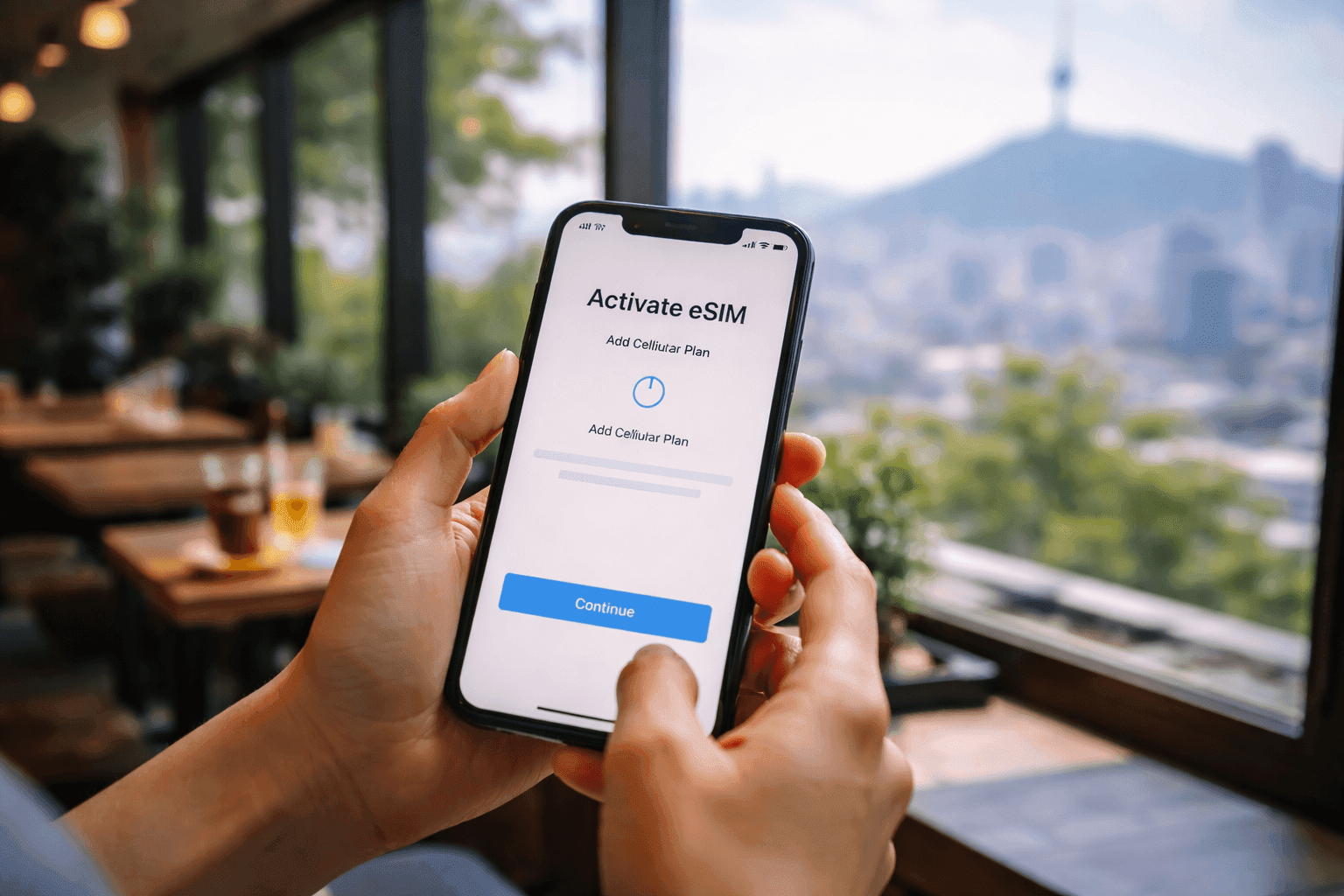
Install the eSIM: On iPhone, go to Settings > Cellular > Add Cellular Plan and scan the QR code. On Android (Samsung/Google), go to Settings > Connections > SIM Card Manager > Add Mobile Plan. The installation requires WiFi but doesn’t activate the plan yet.
-
Label Your Plans: When prompted, label your eSIM (e.g., “Korea Travel”) and your primary SIM (e.g., “Home”) to easily distinguish them in settings.
-
Configure Settings: Set your Korea eSIM as the default for mobile data. Keep your home SIM active for calls/texts if needed. Enable data roaming for the eSIM profile.
-
Activate on Arrival: Upon landing in Korea, turn off airplane mode. Your eSIM will automatically connect to the local network (SK Telecom, KT, or LG U+) and activate. You should see signal bars and a carrier name within 1-2 minutes.
-
Test Your Connection: Open a web browser or app to confirm data is working. If issues arise, restart your phone or contact your provider’s support.
Real-World Coverage: Where eSIMs Work Best in Korea
Korea eSIMs provide excellent 5G coverage in all major cities (Seoul, Busan, Incheon, Daegu) and strong 4G LTE coverage nationwide. Even rural areas like Jeju Island, Gangwon Province ski resorts, and mountain national parks maintain reliable connectivity with SK Telecom-backed eSIMs.
South Korea’s mobile infrastructure is remarkably comprehensive. Unlike some countries where rural coverage drops off quickly, Korea’s government-mandated universal service obligations ensure even remote villages and mountain trails have cellular access.
Seoul Metropolitan Area: All neighborhoods—from Gangnam’s skyscrapers to Hongdae’s underground clubs—have blistering 5G speeds averaging 500+ Mbps. Subway coverage is excellent even deep underground.
Busan and Coastal Cities: Korea’s second-largest city and surrounding coastal areas enjoy full 5G coverage. Even beach areas like Haeundae maintain strong signals during peak tourist seasons.
Jeju Island: The entire island has 4G LTE coverage, with 5G in Jeju City and major tourist areas like Seogwipo. Remote coastal drives and hiking trails on Hallasan maintain at least 3-4 bars of LTE.
Mountain Regions: National parks like Seoraksan, Jirisan, and Bukhansan have surprisingly good coverage on main trails. SK Telecom-backed eSIMs perform best here, with coverage extending to most shelter areas and peaks.
eSIM vs. Pocket WiFi vs. Local SIM: Which Is Better?
For most travelers, eSIMs are the best choice: cheaper than roaming, more convenient than pocket WiFi (no extra device/charging), and faster to activate than local SIMs (no airport queues). Pocket WiFi only makes sense for groups sharing one connection or non-eSIM devices.
Option Price (7 days) Convenience Data Speed Best For eSIM $8-20 Excellent 5G/LTE Solo travelers, short trips Pocket WiFi $25-40 Moderate LTE Groups, multiple devices Local SIM $15-30 Poor 5G/LTE Long-term stays Roaming $70-105 Good Varies Business travelers (expense account)
eSIM Pros: Instant activation, keep your home number, no extra device to carry, easy hotspot sharing, cheapest option for solo travelers. eSIM Cons: Requires compatible device, data-only (no Korean phone number for calls).
Pocket WiFi Pros: Works with any device, unlimited data options, shareable among 5+ devices. Pocket WiFi Cons: Must pickup/return at airport, daily charging required, bulky to carry, expensive for solo travelers.
Local SIM Pros: Korean phone number for restaurant reservations, potentially lower cost for month+ stays. Local SIM Cons: Airport queues (30-60 minutes), passport registration required, loses home number access, physical SIM swap.
Essential Tips for Using Mobile Data in South Korea
Maximize your Korea eSIM experience by downloading offline maps in advance, using KakaoMap alongside Google Maps, connecting to free WiFi in cafes and subway stations to conserve data, and enabling your phone’s data usage alerts to avoid unexpected overages.
Download Offline Maps: Before arrival, download offline maps of Seoul and other destinations in Google Maps or Naver Map. This provides backup navigation if you experience any connectivity issues and reduces data consumption.
Get Kakao Apps: Download essential Korean apps like KakaoMap (better than Google Maps in Korea), KakaoT (for taxis), and KakaoTalk (local messaging). These require a Korean phone number for full functionality, but the map and taxi apps work well with data-only eSIMs.
Use Free WiFi Strategically: Korea has excellent free WiFi coverage. Cafes, restaurants, subway stations, and even many streets offer “Seoul WiFi” or “Korea WiFi” networks. Connect to these when stationary to conserve your eSIM data for when you’re on the move.
Monitor Data Usage: iPhone users can check Settings > Cellular to see data consumption per app. Android users find this in Settings > Connections > Data Usage. Set up alerts at 50% and 80% of your plan to avoid running out unexpectedly.
Understand VPN Limitations: If you use a VPN, be aware that some Korean banking and government apps block VPN connections. You may need to temporarily disable your VPN for these specific services.
When considering how to stay connected affordably during your travels, remember that eSIM technology can significantly reduce your overall trip costs compared to traditional roaming charges—lessons that apply whether you’re visiting Korea or planning future trips to destinations like Italy or other European countries.
Frequently Asked Questions
Can I use an eSIM in South Korea?
Yes, eSIMs work excellently in South Korea. The country has one of the world’s most advanced 5G networks, and all major eSIM providers partner with Korean carriers like SK Telecom, KT, and LG U+ to deliver fast, reliable connectivity for travelers.
Which Korean mobile network is best for tourists?
SK Telecom offers the best overall coverage with 99% population coverage and the fastest 5G speeds. KT provides excellent coverage in Seoul and competitive pricing. LG U+ has strong urban performance and good value plans. For most tourists, any of these networks through a quality eSIM provider will deliver excellent service.
How much data do I need for a week in South Korea?
For a typical week in South Korea, 5-10GB is sufficient for navigation, social media, and messaging. Heavy users who stream videos or work remotely should consider 20GB or unlimited data plans. Seoul’s excellent WiFi coverage in cafes and hotels can help conserve mobile data.
Is eSIM better than renting a pocket WiFi in Korea?
eSIMs are generally better than pocket WiFi for most travelers. They’re more convenient (no pickup/return), cost-effective for solo travelers, allow tethering, and don’t require carrying an extra device. Pocket WiFi may be better for groups sharing one connection or travelers with non-eSIM compatible devices. For a deeper comparison, read our eSIM vs physical SIM guide.
When should I activate my Korea eSIM?
Activate your Korea eSIM just before departure or upon arrival. Most eSIM plans activate immediately when you first connect to a Korean network. Ensure you have WiFi during the initial setup process, as you’ll need internet access to download the eSIM profile. Learn more about eSIM activation timing.
Can I use my eSIM immediately upon landing at Incheon Airport?
Yes, you can use your eSIM immediately after landing at Incheon Airport. The airport has excellent 5G coverage from all major carriers. Simply turn on your eSIM profile after landing, and you’ll have connectivity before reaching immigration or baggage claim.