
Using Grab in Indonesia? Get a Local eSIM for Cheaper Rides
You’ll get more reliable pickups and often better ride options when you keep steady mobile data while you use Grab in Indonesia. When you lose service, the app can’t match you with drivers, load maps, or apply promos correctly, which can raise friction and costs. Set yourself up early so your rides feel simple from the airport to your final stop.
Ready for your trip? Get your Indonesia eSIM plan here
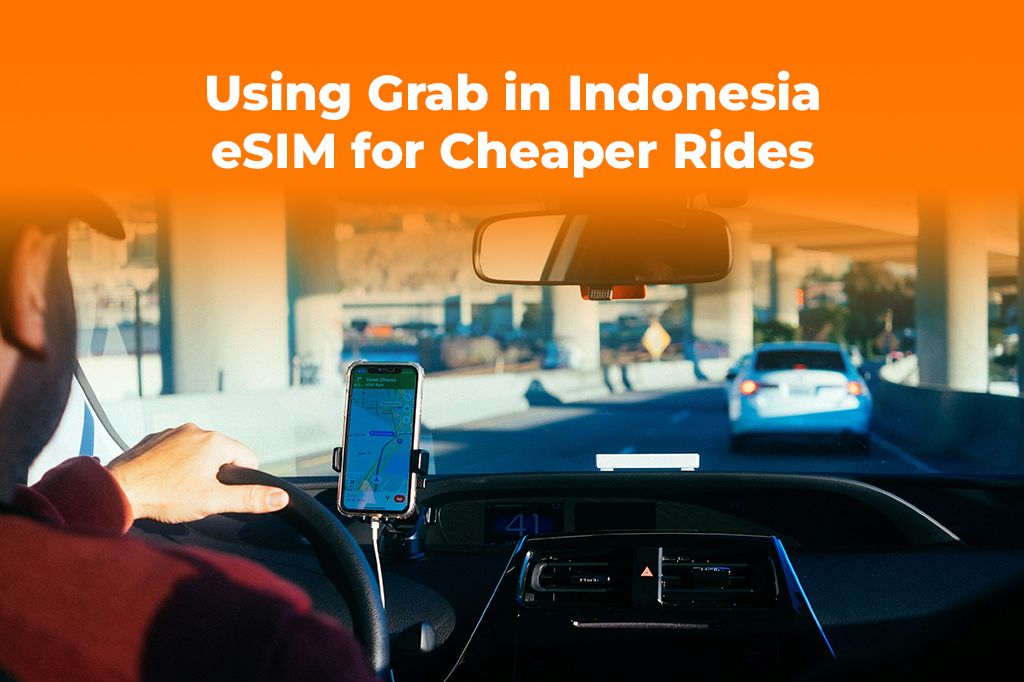
Picture by Paul Hanaoka on Unsplash
Why Grab gets easier and cheaper when you stay connected
Grab works best when your phone can constantly refresh location, driver availability, and route estimates. That’s why data for grab app performance matters more than most travelers expect, especially when you’re figuring out how to use grab overseas for the first time.
Here’s what stable connectivity changes during indonesia ride sharing:
- You see accurate pickup points and fewer “driver can’t find you” messages
- You can message or call your driver in-app without relying on spotty Wi-Fi
- You can compare car types, ETAs, and pricing quickly when demand spikes
- You avoid timeouts during payment or promo application
If you plan travel in jakarta, you’ll notice this right away. The city moves fast, and Grab drivers often rely on precise pins and quick chat to navigate busy entrances, malls, and office towers. With weak service, you can end up walking around looking for a driver who already sits at the right gate.
In beach areas, the same principle applies. Mobile service can fluctuate between cafés, villas, and narrow roads, so data for grab app reliability helps you keep trips predictable.
For reference as you learn how to use grab overseas, you can review the official Grab site for product availability and local guidance.
What an eSIM changes for ride-hailing in Indonesia
If you haven’t used one before, start with what is an eSIM card and how it lets you add mobile service without swapping a physical SIM. When you choose an esim for indonesia, you can keep your data live as soon as you land, which makes indonesia ride sharing feel smoother from your first pickup.
An esim for indonesia helps because you can:
- Activate data before you arrive, then open Grab immediately at baggage claim
- Avoid searching for a SIM shop while you juggle luggage and airport pricing
- Keep a consistent connection for navigation, chats, and receipts
- Manage spending more clearly than surprise roaming charges
You also gain flexibility as a creator or remote worker. You can keep your rides, maps, and uploads running on the same plan, which reduces stress when schedules change.
If you want a quick overview of setup and plan management, skim how Yoho Mobile works so you know what to expect before you travel.
When you’re ready to simplify pickups and keep data for grab app access steady, you can get your Indonesia eSIM plan here and connect the moment you arrive.
Step-by-step: how to use Grab overseas with a local data setup
Use these steps to lock in reliable data for grab app use and make how to use grab overseas feel straightforward across cities and islands.
-
Confirm your phone supports eSIM and is unlocked
Open your phone settings and confirm you can add an eSIM. If your carrier locked your device, fix that before you fly so your esim for indonesia activates without issues.
-
Install your eSIM before departure
Install at home or on stable Wi-Fi. This step matters because you don’t want your first attempt at how to use grab overseas to happen while you stand in a crowded arrivals hall.
-
Set your eSIM line as your mobile data source
In cellular settings, choose the eSIM for mobile data. Leave your primary line for calls if you want, but keep the eSIM powering your maps and messaging so data for grab app stays consistent.
-
Turn on location services and allow precise location
Grab depends on accurate GPS. Turn on precise location for the app, and keep battery saver from restricting background location updates.
-
Prepare a “pickup toolkit” in your phone
Save essentials that support indonesia ride sharing:
- Your accommodation address in a notes app (with nearby landmarks)
- A screenshot of your hotel entrance or lobby name
- Offline maps for backup navigation
- A portable charger
-
Test Grab with a short, low-stakes ride
Before you rely on it for a critical transfer, book a short ride in a calm area. This test helps you confirm data for grab app stability and helps you learn how to use grab overseas with confidence.
-
Protect your account access and verification options
Some travelers struggle with logins when traveling. Keep access to your email and enable account security so you can recover your Grab account if needed. If you use an iPhone, you can also review Apple’s guidance on adding an eSIM line in settings via Apple Support.
Travel in Jakarta: ride strategies that save time and avoid delays
When you plan travel in jakarta, you’ll deal with traffic patterns, complex pickup zones, and busy entrances. You can still make indonesia ride sharing work smoothly if you stay deliberate.
Use these tactics during travel in jakarta:
- Choose specific pickup points like “north lobby” or “hotel driveway,” not just a street name
- Message your driver with a short landmark and a clear outfit detail
- Avoid booking in the exact center of a crowd; walk 30–60 seconds to a calmer pickup pin
- Keep data for grab app active while you move toward the pickup point, so the pin stays accurate
If you’re new to how to use grab overseas, start with rides from well-marked locations such as malls or hotels. You’ll learn the rhythm quickly, and you’ll reduce the odds of cancellation loops.
When you want official travel context and destination basics, you can check Wonderful Indonesia, Indonesia’s official tourism portal, and plan your day around neighborhoods that match your schedule.
Mobile data Bali: how to keep rides smooth in beach towns
Mobile data bali planning looks different from city planning. In many areas, roads run narrow, signage varies, and drivers may depend on landmarks more than street numbers. Mobile data bali reliability helps you keep the map moving, share your live location, and adjust pins without restarting the app.
To make mobile data bali work in your favor:
- Pin pickup points to recognizable businesses (cafés, beach clubs, hotels)
- Use in-app chat early if your villa sits down a small lane
- Schedule extra time around sunset and dinner, when demand rises
- Keep your phone charged so you don’t lose your route mid-trip
When you pair mobile data bali stability with an esim for indonesia, you reduce the stress of last-minute transfers, especially if you carry gear for filming or you run a tight itinerary.
Common issues and quick fixes when Grab doesn’t behave
Even with good service, you may hit a few hiccups as you learn how to use grab overseas. Most fixes take minutes when you keep data for grab app access stable.
Here are the most common problems and what you can do:
-
The app can’t detect your location
- Turn on precise location and confirm you allowed location access “while using”
- Toggle airplane mode on and off to refresh signal
-
Drivers cancel repeatedly
- Move your pickup pin to a calmer spot
- Add a short message with a landmark
- Try a different vehicle category if it’s available
-
Prices look higher than expected
- Wait a few minutes and refresh if demand spikes
- Compare pickup points one block apart
- Confirm the app shows the correct city and currency
-
Payment fails
- Add a backup payment method if possible
- Keep enough cash for cash-based options where available
- Avoid switching networks mid-checkout so data for grab app doesn’t time out
When you stay calm and keep your connection steady, indonesia ride sharing feels much more predictable, even during busy periods.
A short traveler story that shows why local data matters
Imagine you land late and want a quick ride to your hotel. You open the app, but your phone clings to weak airport Wi-Fi. The map spins, the pin jumps, and the driver can’t find you. You waste time and end up paying more because demand rises while you wait.
Now picture the same arrival with an esim for indonesia already active. You open Grab right away, your pin stays stable, and you can message the driver with a landmark. That’s the practical side of data for grab app reliability, and it’s a big reason travelers say they finally understand how to use grab overseas once they stop relying on random Wi-Fi.
This matters in travel in jakarta and in mobile data bali situations alike, because both places reward quick decisions and clear pickup details.
Key takeaways for cheaper, smoother rides
- Use consistent data for grab app performance, not airport Wi-Fi, for first pickups
- Install an esim for indonesia before your trip so you can request rides immediately
- Learn how to use grab overseas by testing one short ride early in your itinerary
- For travel in jakarta, pick precise pickup points and message landmarks quickly
- For mobile data bali, use recognizable business pins and keep your phone charged
- Expect small hiccups, but treat them as fixable steps, not trip-breaking problems
- You’ll get the best results in indonesia ride sharing when your pin stays accurate
FAQs
-
How much data for grab app use do you actually need?
You won’t use huge amounts for rides alone, but you’ll rely on maps, chat, and location updates. Plan extra if you also stream, upload, or hotspot. -
Does an esim for indonesia help with cheaper rides?
It won’t change base pricing directly, but it helps you avoid delays, pin errors, and missed promos that can lead to wasted time and higher demand-based costs. -
What’s the easiest way to learn how to use grab overseas in Indonesia?
Book one short test ride from a clear pickup point, then adjust your habits based on what you see in the map and driver chat. -
What should you do during travel in jakarta if a driver can’t find you?
Send a landmark, move to a calmer entrance, and update the pickup pin while your data stays connected. -
Why does mobile data bali matter so much for villas and beach roads?
Narrow lanes and variable addresses can confuse drivers. Strong data helps you adjust pins, share live location, and keep navigation stable.
Conclusion
When you keep reliable data for grab app performance, you’ll handle pickups faster and make indonesia ride sharing feel simpler in both cities and beach towns. If you want a smooth setup for how to use grab overseas, you can get your Indonesia eSIM plan here and stay connected from landing to checkout.
TOVÁBBI VÁLOGATOTT UTAZÁSI TIPPEK
Best eSIM for Indonesia (Bali & Jakarta) 2025 | Yoho Mobile
Tovább olvasomTravel GuidesIndonesia Public Holidays 2026: Your Ultimate Travel Planner
Tovább olvasomDestination GuidesIndonesia Travel Safety: How an eSIM Keeps You Connected in Aceh
Tovább olvasomDestination GuidesTraveling in Indonesia? Get an eSIM for Weather Forecasts
Tovább olvasomTravel GuideseSIM for Bali & Indonesia | Instant Data Plans for 2025 | Yoho Mobile
Tovább olvasom